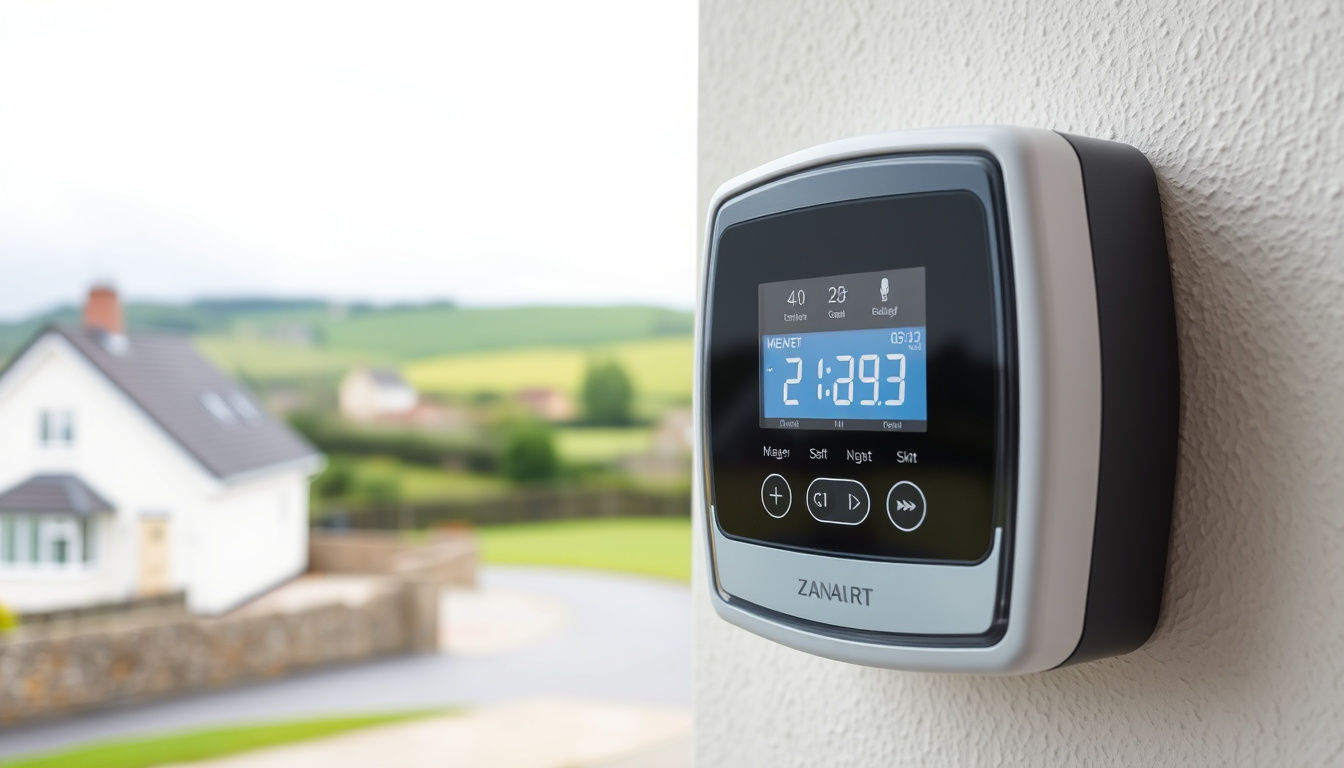
With all 2.4 million electricity meters in Ireland set for smart upgrade by end of 2024, most households will soon need to decode the same cryptic button sequences and rate labels that confuse new smart meter owners today. This guide walks through the exact steps ESB Networks, Electric Ireland, Bord Gais Energy, and SSE Airtricity all recommend for reading your meter manually, plus how to access your data online.
Common Displays: A+, T1, T3 · Key Buttons: A, B, Green · Ireland Providers: ESB, Electric Ireland, Bord Gais · Reading Modes: Day, Night, Peak
Quick snapshot
- Press the push button to cycle displays (ESB Networks YouTube)
- T1 = night, T2 = day, T3 = peak rate (ESB Networks)
- Read left to right, ignoring decimal points (Electric Ireland)
- Exact screen layout may vary slightly by meter model
- XS211 and similar variants not covered in official guides
- National rollout target: end of 2024 (ESB Networks)
- P1 port enablement planned Q4 2025 (Home Assistant Community)
- Online ESB account access with 36–48 hour update delay
- 2-year HDF data download available now
The table below summarizes the key display cycles and timing parameters for Irish smart meters across providers.
| Display Cycle | Press A 1–3 times |
|---|---|
| Common Rates | A+ night, T1/T3 peak |
| Providers | ESB, Electric Ireland |
| Auto-return Timer | 2 minutes |
| Data Update Delay | 36–48 hours |
How do I read my electric smart meter?
The main reading on any ESB Networks smart meter shows your total cumulative energy use in kilowatt-hours. Read the digits from left to right, including all numbers before the “kWh” label — ignore any decimal point that may appear on the display (ESB Networks).
Locate the display
- Look for the LCD screen on the meter’s front face
- The default view shows your total consumption marked with “1.8.0 +”
- A small indicator in the top-right corner identifies which rate is active
Cycle through screens
- Press 1: Date and time appear on screen
- Press 2: Returns to total kWh reading
- Press 3: Night usage with “+ T1” label
- Press 4: Day usage with “+ T2” label
- Press 5: Peak rate T3 display
- Press 6: Test screen or export reading
The screen auto-returns to the total reading after 2 minutes of inactivity (ESB Networks). Button cycles loop back to the start after the final press.
Note day and night units
- Night units (T1) typically run from 11 pm to 8 am on standard day/night tariffs
- Day units (T2) cover peak daytime hours
- Peak (T3) applies during highest-demand periods, often early evening
- The “+” symbol before the rate code indicates import (consumption)
Most Irish households on day/night tariffs need only presses 2, 3, and 4 to track their usage against billing periods. Microgen customers with solar exports will also want the sixth press to see cumulative export figures.
The implication: knowing which rate is active when you read the meter helps you understand your bill structure and identify whether shifting high-use appliances to night hours genuinely saves money on your tariff.
How do you read a smart meter with an A and B button?
The labels “A” and “B” are commonly used in tutorials, but official ESB Networks guides refer to a single push button — sometimes coloured blue, yellow, or green depending on the supplier. Pressing and holding the green or marked button for at least 2 seconds wakes the display before cycling begins (SSE Airtricity).
Press A button sequence
- Hold A for 2 seconds to activate the display
- Tap A to advance through each screen in order
- Each tap moves one display forward: total → night → day → peak
Press B button sequence
- The B button typically toggles between rate modes rather than cycling screens
- On some Electric Ireland models, pressing the left pushbutton toggles T1 (night), T2 (day), and T3 (peak) by flashing each label in sequence
- On Bord Gais meters, the left push button (blue/yellow) follows the same five-step cycle as ESB Networks: date/time → total → night A+T1 → day A+T2 → peak A+T3
Interpret A+ and T1 displays
- The “A+” prefix before T1 or T2 indicates accumulation — these are import readings (energy you’ve consumed)
- First row on the display shows total kWh for that rate period
- A flashing rate label means that tariff is currently active or selected
Electric Ireland’s RM257/258/259 models display a small “1” for night and “2” for day instead of full labels. If you see numbers cycling instead of letters, that’s normal — the models just use a numeric shorthand for the same tariff periods.
The pattern: different suppliers adapt the same underlying ESB standard to their own display conventions, so the button logic remains consistent even when the on-screen labels differ.
What does A and B mean on my meter?
The button labels map directly to specific functions that help you navigate all the data your smart meter stores. Understanding what each button does turns a wall of cryptic codes into a readable report of your household’s energy behaviour.
A button functions
- Screen cycling: Advances through all available display screens in sequence
- Display wake: Long press activates the LCD if it’s gone dark
- Rate selection: On multi-rate meters, A cycles through T1, T2, T3 displays
B button functions
- Mode toggle: Switches between display modes (e.g., consumption vs. export for microgen)
- Confirmation: On some models, B confirms a selection or accepts a manual entry
- Not all meters have both buttons — check your supplier’s guide for your specific model
Rate meanings like A+ T1
- A+: Accumulated import — energy drawn from the grid
- T1: Night-rate period, typically 11 pm to 8 am
- T2: Day-rate period, typically 8 am to 11 pm
- T3: Peak-rate period, typically early evening high-demand window
- Later presses on advanced meters show reactive energy (R+) and export (2.8.0 −) for customers with solar or wind installations
The implication: knowing which rate is active when you read the meter helps you understand your bill structure and identify whether shifting high-use appliances to night hours genuinely saves money on your tariff.
How do I read my smart meter in Ireland?
Ireland’s smart meter network is operated by ESB Networks, which installs meters on request from electricity suppliers including Electric Ireland, Bord Gais Energy, and SSE Airtricity. Each supplier publishes its own guide, but the underlying button sequences follow the same ESB Networks standard (ESB Networks).
ESB Networks meters
- Single push button, no A/B labelling in official documentation
- Press sequence: 1 = date/time, 2 = total, 3 = night T1, 4 = day T2, 5 = peak T3
- After installation, the meter connects to ESB Networks’ secure communications network over 30 days and begins sending automatic readings
Electric Ireland displays
- Blue button cycles through readings on RM257/258/259 models
- Press until “Day” or “Night” appears, then read left to right ignoring decimal
- For day/night models, scroll to small “2” for day usage and “1” for night usage
Bord Gais steps
- Blue or yellow left push button cycles through five screens
- Sequence matches ESB Networks: 1 date/time → 2 total → 3 night A+T1 → 4 day A+T2 → 5 peak A+T3
- By pressing the left pushbutton again, you select the T3 peak reading for that billing cycle
Smart meter data on your ESB online account may take 36–48 hours to update after a manual reading. If you’re submitting a reading for billing purposes, check your supplier’s cutoff times — submitting late in the billing cycle could mean waiting for the next invoice to reflect the correction.
The catch: the 36–48 hour delay means manual readings taken near billing cycle deadlines may not sync in time for that invoice.
Do smart meters need to be read manually?
Most of the time, your smart meter handles reading transmission automatically. After installation, ESB Networks smart meters connect over a 30-day period and send half-hourly usage data directly — no manual reading required for standard billing (ESB Networks).
Automatic vs manual
- Automatic: Meter sends readings every 30 minutes via API; data available in your ESB online account
- Manual: Used for verification, prepayment accounts, or when online access is unavailable
- The CRU approved the phased smart metering rollout in 2017, and national completion is targeted for end of 2024
When to read manually
- Checking that your bill matches actual consumption before payment
- Prepayment meter customers topping up credit
- Disputes over estimated billing figures
- When your online account data is outdated or inaccessible
Online alternatives
- ESB Networks online account shows daily, weekly, monthly, and yearly consumption charts
- HDF file download available for up to 2 years of half-hourly data — useful for detailed analysis or energy audits
- Online access also includes outage status, MPRN lookup, and manual reading submission
The implication: automatic readings eliminate the need for manual submissions in most billing scenarios, but manual verification remains valuable for disputing estimates or managing prepayment accounts.
How to read your smart meter: step-by-step
Whether you want to verify your bill, track usage patterns, or just understand what your meter shows, here’s the procedure that works across most Irish smart meter models.
Stand in front of your meter. Make sure you have a clear view of the LCD screen. Wait a few seconds if the display has gone dark — some meters dim after a period of inactivity.
Press and hold the main button for 2 seconds (or short-press if the screen is already lit). On Electric Ireland models, press the blue button until the Day or Night indicator appears.
Note the first screen. This shows your total cumulative consumption. Write down all digits before the decimal point, followed by “kWh” — for example: 05432 kWh.
Press the button again to advance to the next screen. On ESB Networks and Bord Gais meters, this is your night reading with “A+ T1” displayed. On Electric Ireland RM models, look for the small “1” or “night” label.
Press a third time for your day reading (“A+ T2” or small “2”). On peak-rate meters, a fourth press shows the peak T3 figure.
Record all figures — total, night, day, and peak if applicable — with the date of reading. Compare against your latest bill or log into your ESB Networks account to verify accuracy.
What experts say
“All 2.4 million electricity meters across Ireland are being upgraded to modern smart meters by the end of 2024. When your meter establishes its connection to ESB Networks’ secure communications network, it will send readings automatically — no manual submissions required for billing.”
— ESB Networks, Utility Operator
“By pressing the left pushbutton again, you select the T3 (peak reading). This allows customers to monitor peak-period consumption separately from day and night usage.”
— Bord Gais Energy, Energy Supplier
Confirmed vs unclear
Confirmed facts
- ESB Networks smart meter button sequences from official supplier sites
- Ireland-specific rate codes T1 (night), T2 (day), T3 (peak)
- Manual reading procedure works across ESB, Electric Ireland, Bord Gais, and SSE Airtricity
- Online ESB account provides 2-year HDF data download
- Data update delay of 36–48 hours confirmed by ESB Networks
What’s unclear
- Exact screen pixel layout varies by meter model (ESB doesn’t publish model-specific diagrams)
- XS211 and other newer variants not covered in any official supplier guide
- P1 port for direct hardware access currently disabled — enablement planned Q4 2025 per Home Assistant community reports
Related reading: How to Connect Two Monitors – Step-by-Step Setup Guide · How to Grow Cilantro: Easy Guide from Seeds to Harvest
While button sequences deliver on-the-spot readings from your ESB meter, the ESB smart meter login portal unlocks detailed online usage history and app features for deeper insights.
Frequently asked questions
Can you read your own smart meter?
Yes. Smart meters display readings on the LCD screen that you can read without any equipment. Most meters show total consumption by default, and pressing the button cycles through night, day, and peak rate readings.
What button do I press on my smart meter to get a reading?
Press the main push button (blue, yellow, or green depending on your supplier) once to see the date and time, again for the total kWh figure. On ESB Networks and Bord Gais meters, a third press shows night usage (T1) and a fourth shows day usage (T2).
How do I read a smart meter online?
Log into your ESB Networks online account to view daily, weekly, monthly, and yearly consumption charts. Data typically updates within 36–48 hours of your actual usage. You can also download HDF files containing up to 2 years of half-hourly readings.
How do I read an ESB smart meter for day and night?
Press the push button twice to reach the total reading, then press once more to see your night usage marked “A+ T1.” A fourth press shows day usage as “A+ T2.” Record both figures to compare against your day/night tariff billing.
What is A+ T1 meter reading?
A+ indicates accumulated import (energy consumed from the grid), and T1 is the night-rate tariff period. Together, “A+ T1” means the total kilowatt-hours you’ve consumed during night hours since the meter was installed or last reset.
How do I read a smart meter SSE?
On SSE Airtricity day/night meters, use the yellow button. The third press shows day reading (1.8.2 A+T2) and the fourth press shows night reading (1.8.1 A+T1). Later presses on SSE Airtricity models reveal reactive energy data for customers with solar installations.